If you want to outfit your fleet’s cars with GPS tracking devices, you might not know where to install them to get the best performance. While there are various kinds of tracking devices on the market and different placement options for them, you’ll generally want to ensure they’re easily accessible and hidden from view. As you look to install global positioning systems in your fleet’s cars, you can maximize their value for fleet management by placing them in the ideal location.
A GPS tracker system consists of a hardware unit that is mounted somewhere on the vehicle, transmitting location data through satellites or cellular networks. This unit feeds the information it collects on vehicle position to a central software platform such as Track Your Truck’s NetTrack. The tracking unit draws power from a hardwired 12-volt line in the vehicle or directly from the OBD-II port, depending on the model. Many businesses choose to install GPS trackers on their fleet vehicles to give them real-time visibility that helps them improve driver accountability and protect their assets.
Where do GPS trackers go on cars? You’ll find plenty of options. While you can place these devices in various locations, it’s often best to have a mechanic install them under the vehicle’s dash, where they can connect to a power source. Other options, like our plugin models, easily plug into a vehicle’s OBD-II port and are ready to go within minutes.
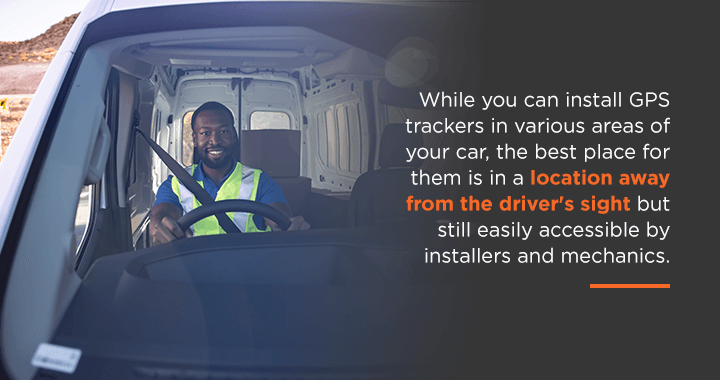
While you can install GPS trackers in various areas of your car, the best place for them is in a location away from the driver’s sight but still easily accessible by installers and mechanics. By keeping it out of the driver’s view, you can avoid cluttering up their car or obstructing their ability to drive. Besides hiding it from the driver, it’s also wise to keep the device hidden from those outside the vehicle to prevent tampering.
In most cases, your mechanic will install the GPS tracker under the vehicle’s dash. Installing the tracker there also gives you plenty of space to hide it and keep it out of your driver’s way. Alongside hiding the tracker from view, the dash will allow GPS signals to easily pass through the vehicle’s windshield and be seen by the tracker.
If you’re interested in GPS installation for your fleet, you’ll often have the choice between plug-in vehicle trackers and hardwired GPS trackers. Plug-in vehicle trackers don’t require any wiring, as they plug directly into an OBD-II port, making them a good choice for fleets that need to swap devices quickly and with minimal effort. In contrast, hardwired GPS trackers require a wired connection to the vehicle. These are typically mounted under the dashboard, which makes them discreet and tamper-resistant. Although these may require professional installation, they also offer a cleaner look and ensure the integrity of the information they provide.
Whatever option you select for your fleet, you’ll likely want to know how to install it properly. Review the main steps to installing hardwired and plug-in vehicle trackers.
A hardwired GPS tracking device from Track Your Truck is our most popular choice for vehicle tracking. In most cases, you will want to have a professional installer or mechanic do this for you, although we have outlined the basic steps below. While prices vary depending on your location, we find most mechanics charge ~$100 per vehicle to install. All our devices come ready to install, letting you get your monitoring capabilities running a few minutes after installation. Review the three steps to installing our hardwired GPS tracking devices.
Our plug-in vehicle trackers offer quick, straightforward installation. Since these trackers are ready for immediate use after delivery, all you have to do is take a few minutes to plug yours in and put it in place – no mechanic needed! Learn more about the steps to install our plug-in vehicle trackers below.
Fleet managers should be cautious when installing GPS devices in their vehicles, as laws on electronic tracking vary by state. It’s highly recommended that employers research the laws where they operate to ensure compliance and avoid unauthorized tracking. They also need to disclose their tracking policies and obtain consent from drivers where required. When handling the data provided by these tracking devices, fleets should make sure they use adequate cybersecurity and proper data storage. The information collected should be used only for legitimate business purposes to ensure there are no privacy violations committed. This is why many fleets choose hardwired trackers, because they reduce the risk of tampering that can impact the integrity of the data.
Many of the most common problems with GPS tracking systems come down to issues that can be easily fixed. These include loose wiring and expired SIM cards. Fleet managers should schedule routine inspections to ensure the wiring, signal strength, and device firmware are all within required specifications. Diagnostic tools within our NetTrack software platform make it easier for you to identify problems, offering automated device health alerts and scheduling regular checkups to make sure everything operates as it should.
At Track Your Truck, we offer some of the best GPS tracking devices on the market today. With our devices’ easy installation and in-depth tracking abilities, you can receive real-time information about your fleet vehicles’ location and performance. We offer hardwired GPS tracking devices and premium GPS plug-in vehicle trackers to give you the flexibility you require to receive the best tracker for your fleet’s unique needs.
Learn more about our GPS tracking devices. If you want more information, please feel free to request a demo or a free quote.